Personal Project · Vibe-coded

Our Shared Library

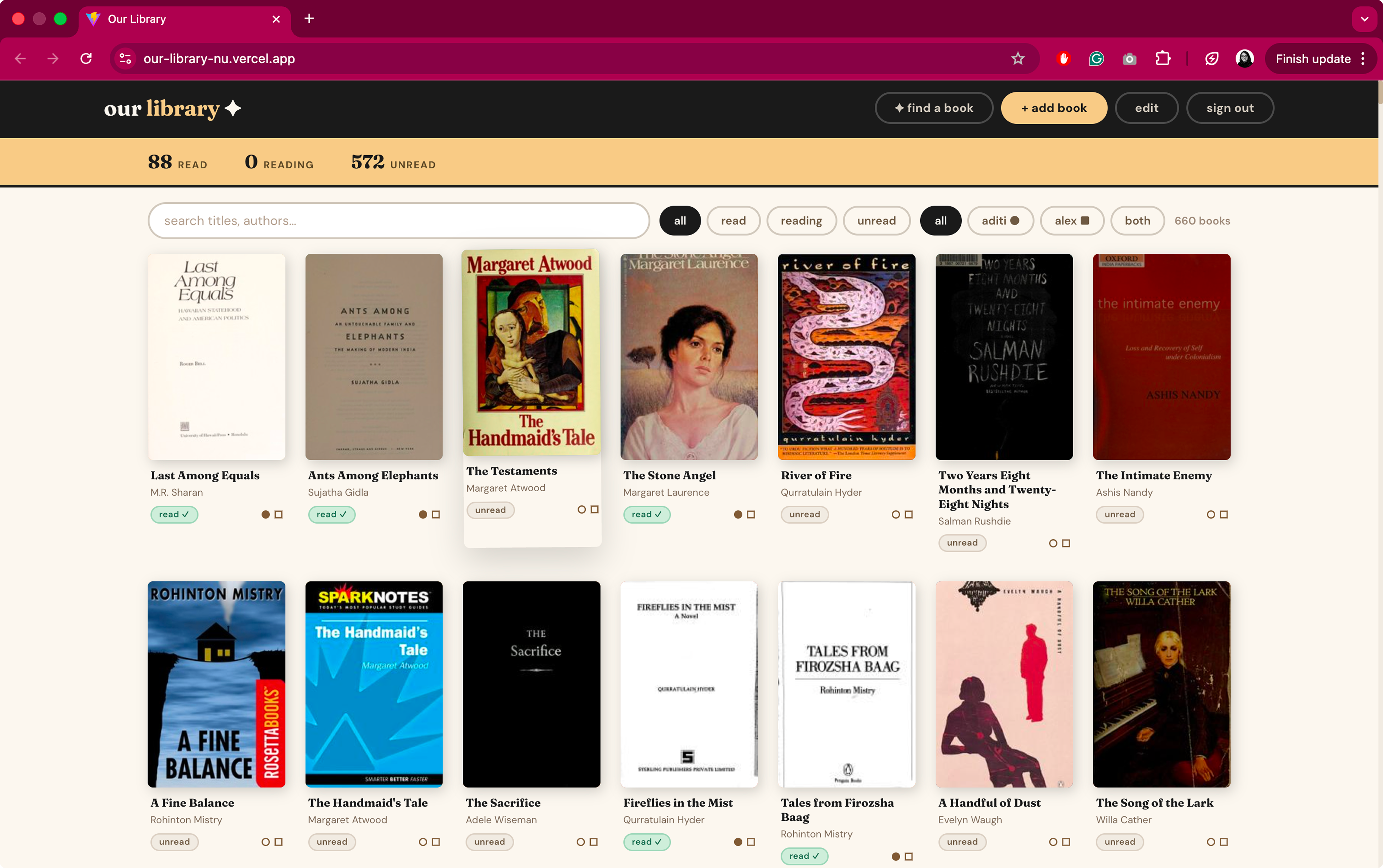
A book catalogue app I designed and built for our home — because after 1,000+ books and two failed attempts at tracking them, the only solution that fit our lives was one designed for an audience of exactly two. I owned everything: the requirements, the design, and shipping a live product with auth, a real database, and AI enrichment.

My Role
Product Designer + Builder
Tools
Claude, Cursor, Supabase, Vercel
Type
Personal project
Status
Live
Our Shared Library

We didn't know if we already owned a book we wanted to buy

My husband and I are serious book people. Over the years, we built a library of 1,000+ books — and with it, a surprisingly frustrating problem. We'd be at a used bookstore, spot something on our radar, and completely blank on whether we already owned it. Did we buy this last year? Is it on the shelf at home? We had no idea.

Our Shared Library

Scanning barcodes, one book at a time

We downloaded Libib, a solid library cataloguing app, and started scanning. Each book, one by one. It was going to be great. We made it to book fifty before we quietly gave up and never opened the app again.

Why it failed

Slow and tedious for a large collection. The effort to get 1,000 books in was too high to ever finish.

AI + a spreadsheet: fast to create, hard to use

We leveled up. Using ChatGPT's image processing, we photographed our shelves and pulled book titles and authors straight into a spreadsheet. Getting the data in was actually easy — 1,000 rows, done.

But a spreadsheet with 1,000 rows is not something either of us wanted to open on a Saturday afternoon at a used bookstore. The data existed. We never looked at it.

Why it failed

Fast to build but not accessible in the moment. The solution didn't fit how we actually behave.
04 · The Requirements

What we needed

Two failed attempts. Same root cause: the solution didn't fit our actual lives. Instead of finding an app that was good enough, I decided to build exactly what we needed. No compromises, no workarounds — just our catalogue, designed around how we actually think and behave.

Must have

Low-effort bulk entry

Getting 1,000 books in without losing our minds — using image processing to import the existing collection fast.

Must have

Search and filter from anywhere

A clean, fast interface we'd actually open mid-bookstore. Not a spreadsheet, not a slow app — something that fits in your hand.

Must have

Easy way to add new books

After the initial import, adding a single book should take seconds — no barcode scanner required.

Nice to have

Per-person read/unread status

We read very differently — one of us tears through books, the other re-reads slowly. Tracking status per person is something no off-the-shelf app bothered with. We could build it in.

Nice to have

Find a Book

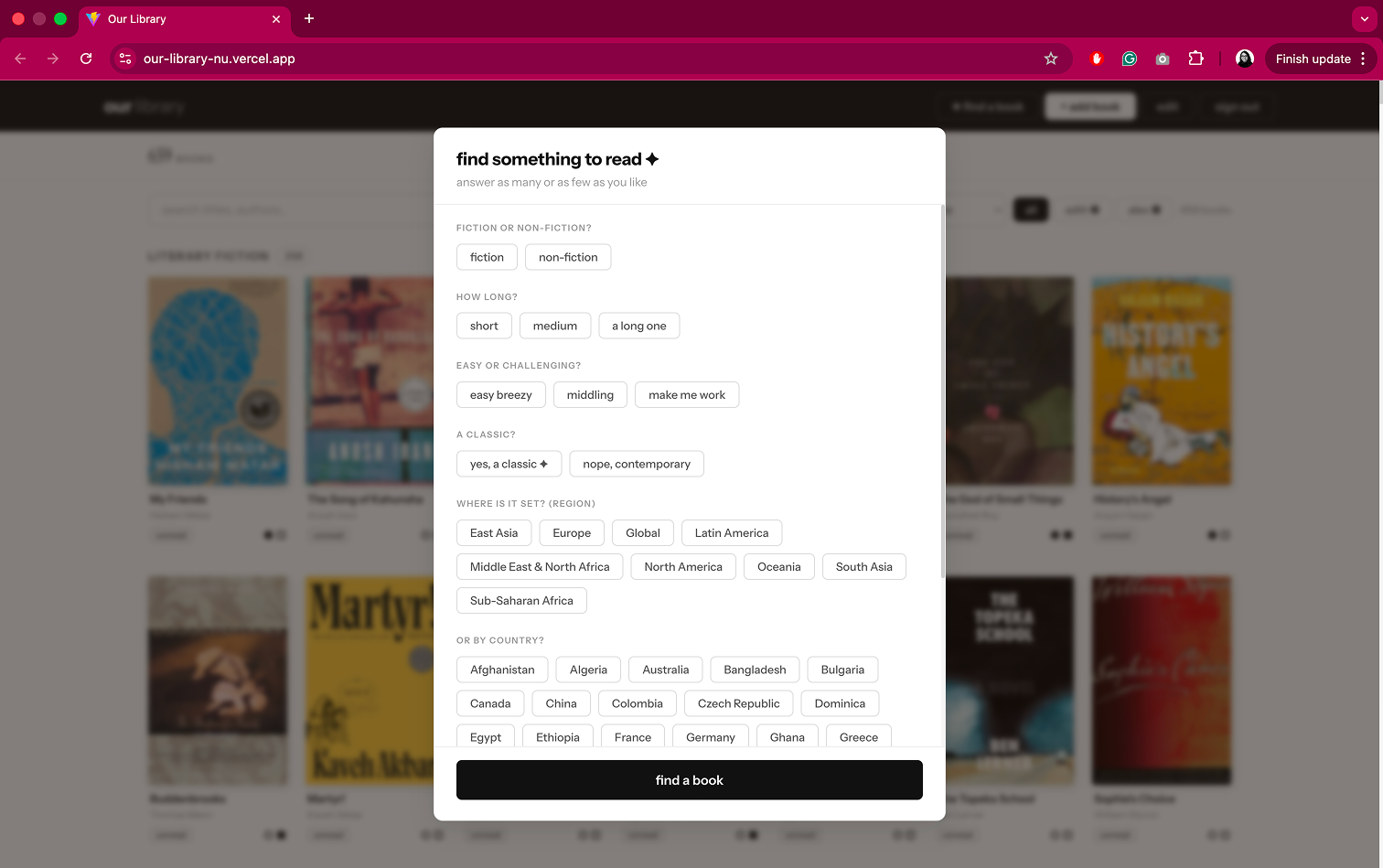
We have a ritual when one of us finishes a book — we walk the shelves together and talk about what to read next. Do you want fiction or non-fiction? Something easy or a real commitment? It's one of our favorite things. I wasn't trying to replace it with an algorithm. But I thought — what if the app could play along? Find a Book is an AI-powered recommendation mode that mirrors that conversation. It asks the same questions and suggests something from your own library. I didn't build it to be useful — I built it to be delightful.

Our Shared Library

Find a Book

We have a ritual when one of us finishes a book — we walk the shelves together and talk about what to read next. Do you want fiction or non-fiction? Something easy or a real commitment? It's one of our favorite things.

I wasn't trying to replace it with an algorithm. But I thought — what if the app could play along?

Find a Book is a simple filter-based recommendation mode that mirrors that conversation. It asks the same questions and surfaces something from your own library. The AI enrichment I added to each book provides more meaningful facets that we can filter by.

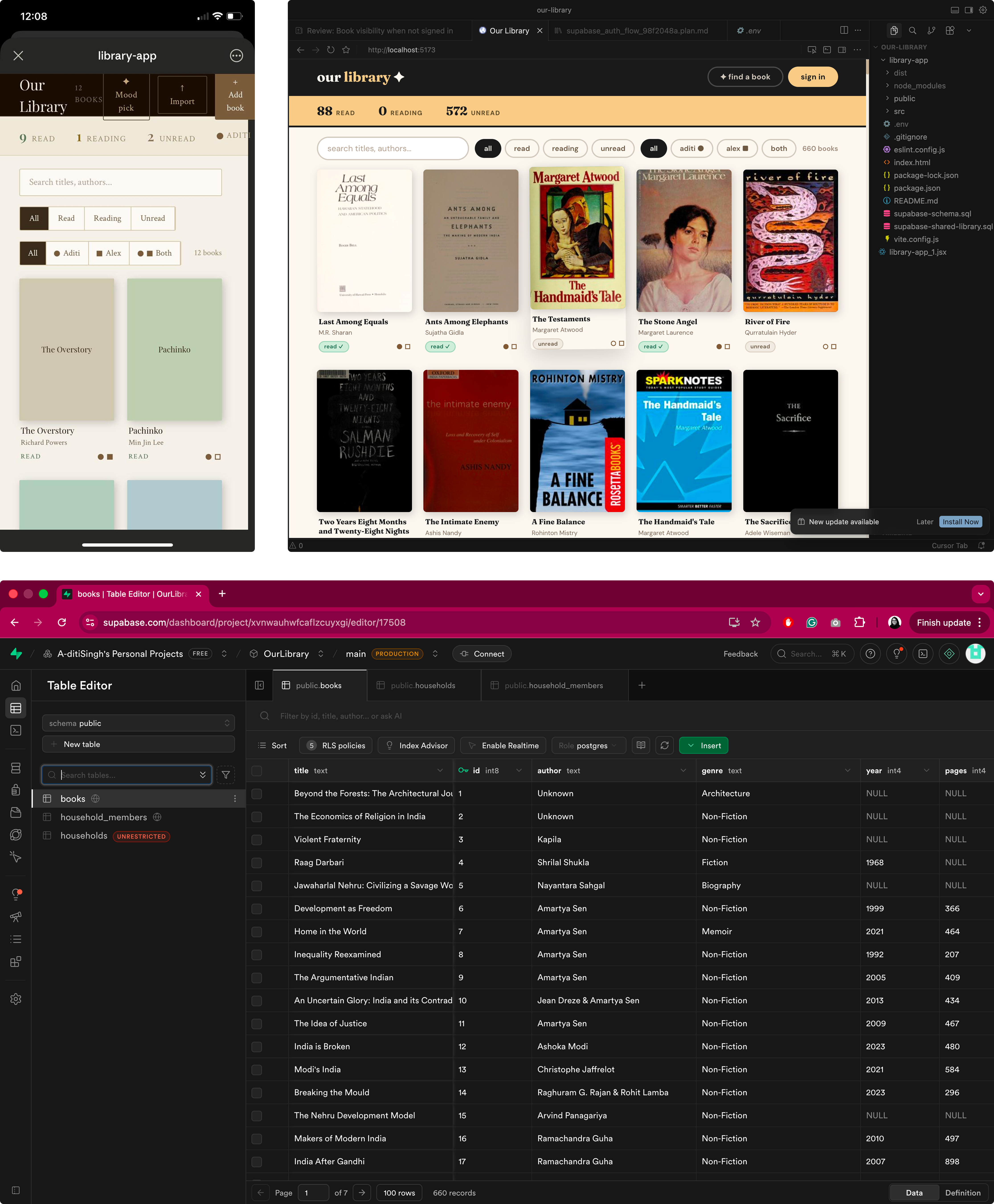
From HTML prototype to a live, deployed app

This is where everything changed. Instead of searching for something close enough, I built it.

Claude

HTML prototype with random books

Started with a working proof of concept — search, filter, a book grid. Enough to know the idea was right.

Cursor

React app with real features

Turned the prototype into a proper React app. Added bulk editing to mark books as read, and wired up the Open Library API so adding a new book feels instant — no manual metadata.

Figma

Visual language and layout

Designed the layout and look properly before bringing it into code — the part that made it feel like an app we'd actually want to open.

Supabase

Database, auth, and deployment

Set up a real database, added authentication, and deployed. Household members share the same book list; each person tracks their own read/unread status. The part that would have stopped me cold before vibe-coding made it approachable.

Our Shared Library

What this project demonstrated

Design for a known user
The clearest brief I've ever had
Designing for yourself is a specific skill — you have to resist over-building and stay honest about what actually matters. Two failed attempts gave me unusually precise requirements before I wrote a line of code.
End-to-end ownership
From requirements to a live URL
I defined the problem, designed the solution, and shipped a deployed product with real infrastructure. Understanding what it takes to build what you design makes you a better collaborator with the engineers you work with.
See it live